Synonyms and repeated words in Google Docs
Stop Repeating Yourself. Say the same thing, or the exact opposite.
Find the right word without leaving your document. Synopedia puts a thesaurus and a repetition checker right inside Google Docs. Free, in six languages.
6 Languages · No Account · No Ads
Synopedia for Google Docs
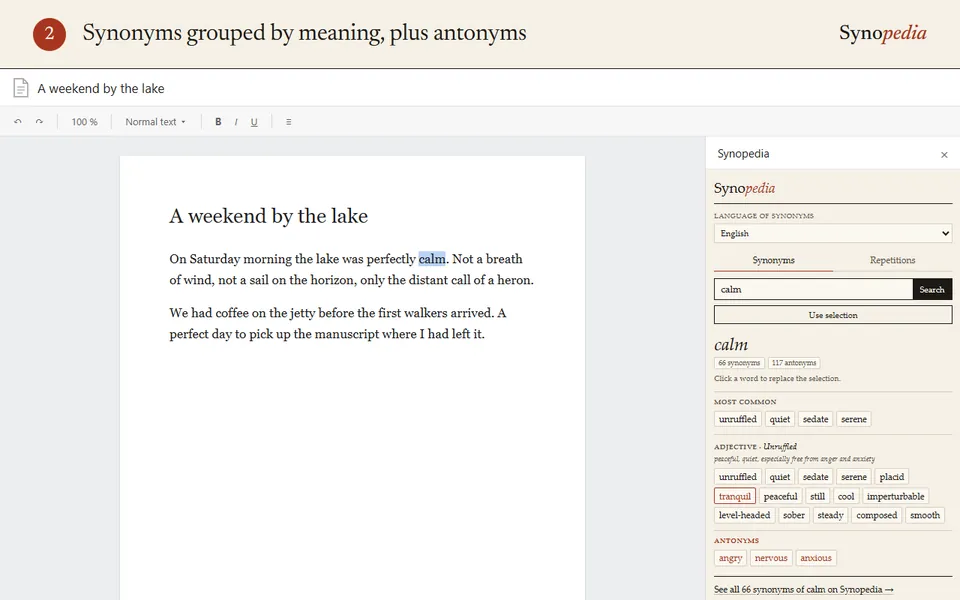
Select a word and its synonyms appear in the sidebar, grouped by meaning, the most common first, with three antonyms. Click one and it replaces your word, capitals and formatting kept. One more click lists the words you repeat too close together.
- Synonyms sorted by meaning, with usage labels and regional tags
- Plurals and conjugated verbs understood, spelling variants recognised
- Repetitions listed from the most awkward, with optional highlighting
- English, French, Italian, Spanish, German and Catalan
How to use it
Install the add-on from the Google Workspace Marketplace, then open a document.
Open Extensions › Synopedia › Find synonyms. Select a word, or just click inside it, then click “Use selection”.
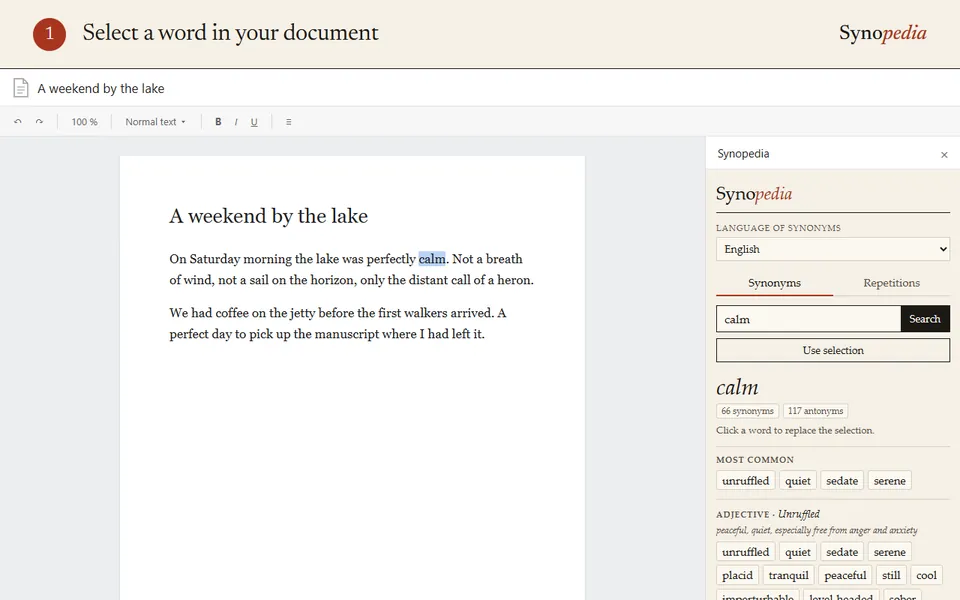
Select a word The synonyms appear in the sidebar, grouped by meaning.
Synonyms by meaning Click a synonym and it replaces the word in your document. Ctrl+Z undoes it.
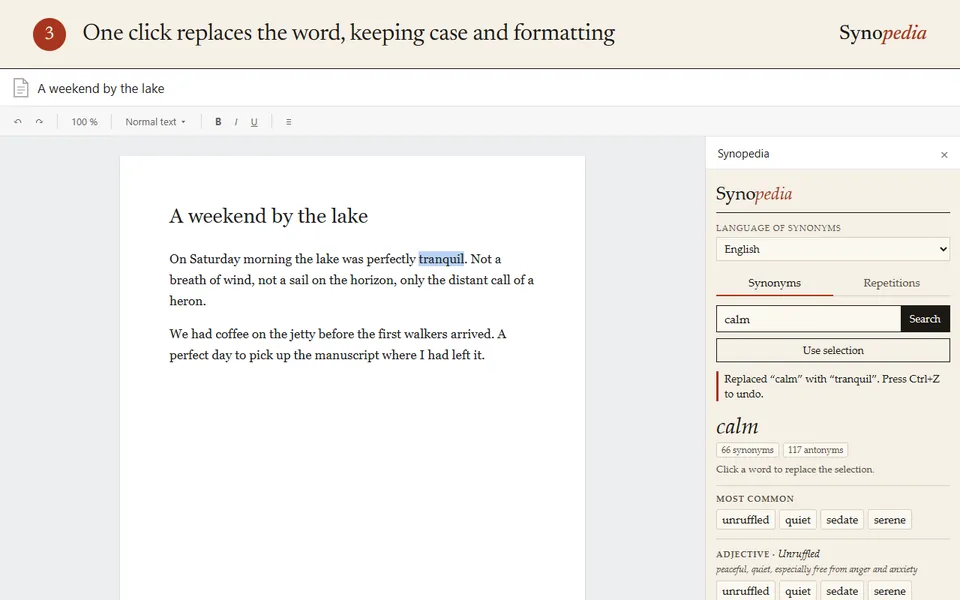
The word is replaced For repetitions, open the Repetitions tab, or Extensions › Synopedia › Find repetitions.
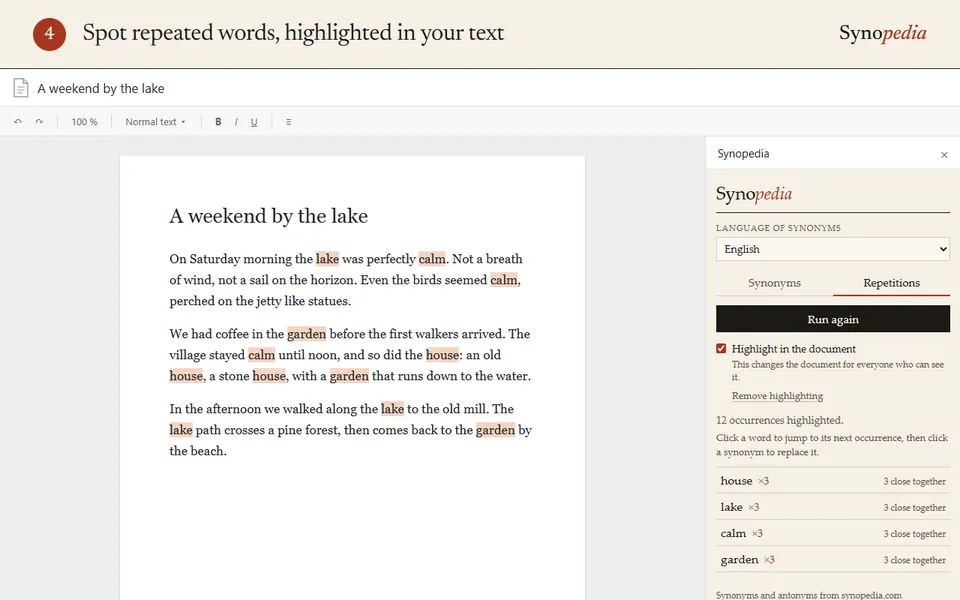
Repeated words, the worst first Click a word in the list to jump to each occurrence, then pick a synonym.
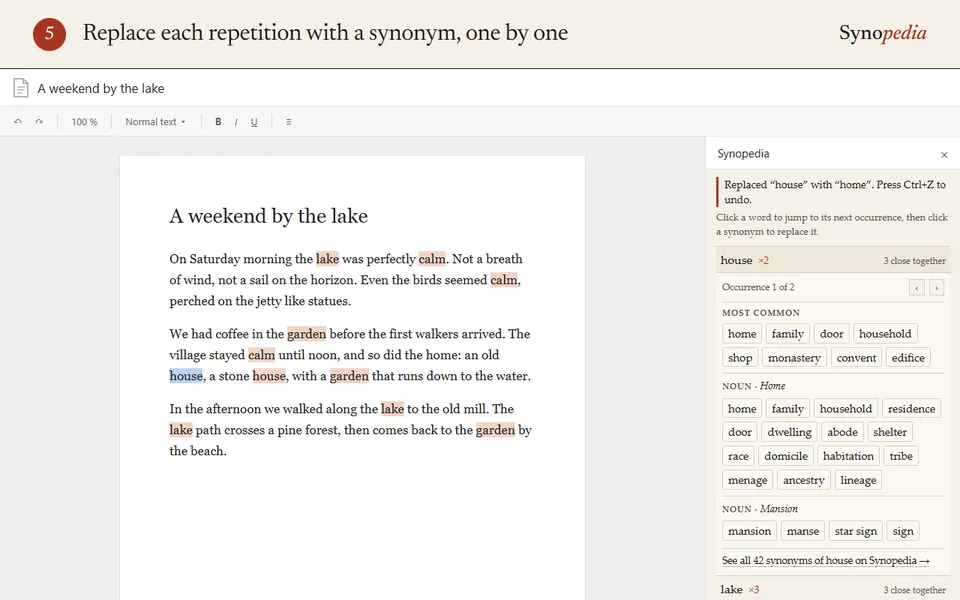
A synonym for each repeat
Private by design
Only the selected word is sent to synopedia.com to look up its synonyms. Repetitions are counted inside the sidebar, so your text never leaves Google Docs. The add-on only sees the document it is opened in. No account, no ads, no tracking. Read the privacy policy.