Synonym extension for Chrome, Firefox and Edge
Say the same thing. Or the exact opposite.
The right word, one right-click away. Synopedia shows the synonyms and antonyms of any word you select, and spots the words you repeat too often. Free, offline, in six languages.
6 Languages · Works Offline · No Data Collected
Synopedia – Synonyms & Antonyms
Find the right word
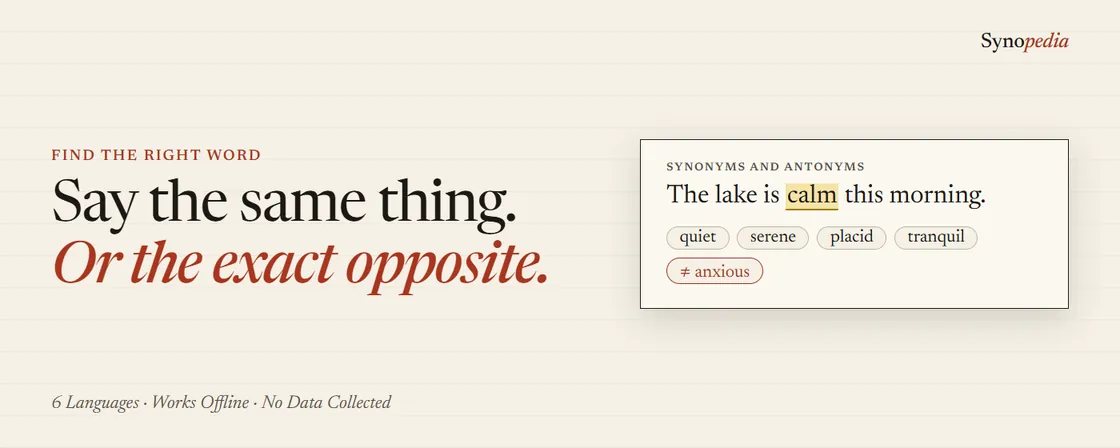
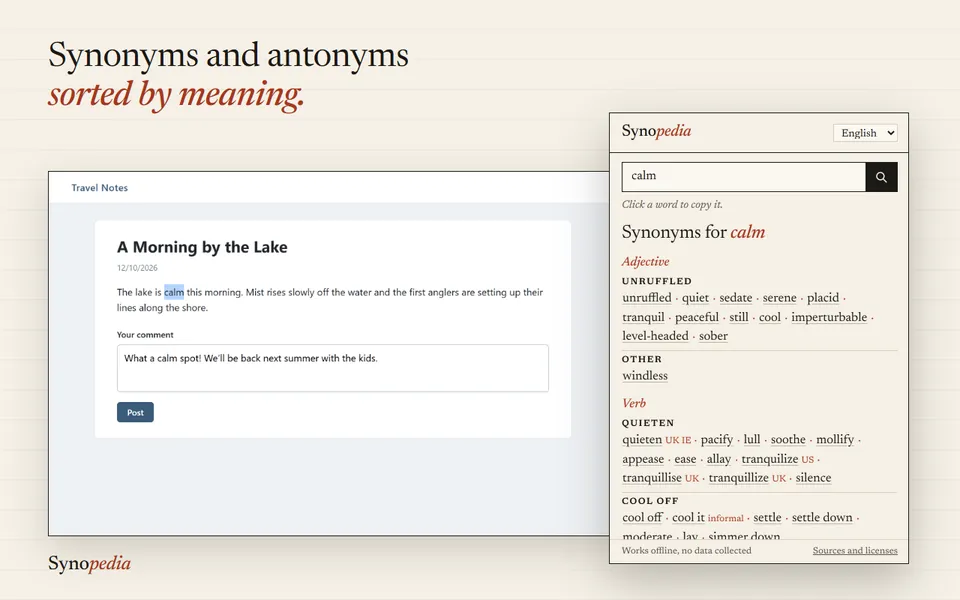
Select a word, right-click, and its synonyms appear grouped by meaning, the most common first, with three antonyms. Click one to swap the word right in your text, capitals kept.
- Synonyms sorted by meaning, with usage labels and regional tags
- Works in comments, emails, forms and any text box
- English, French, Italian, Spanish, German and Catalan
Synopedia – Repeated Word Finder
Say it once. Then say it differently.
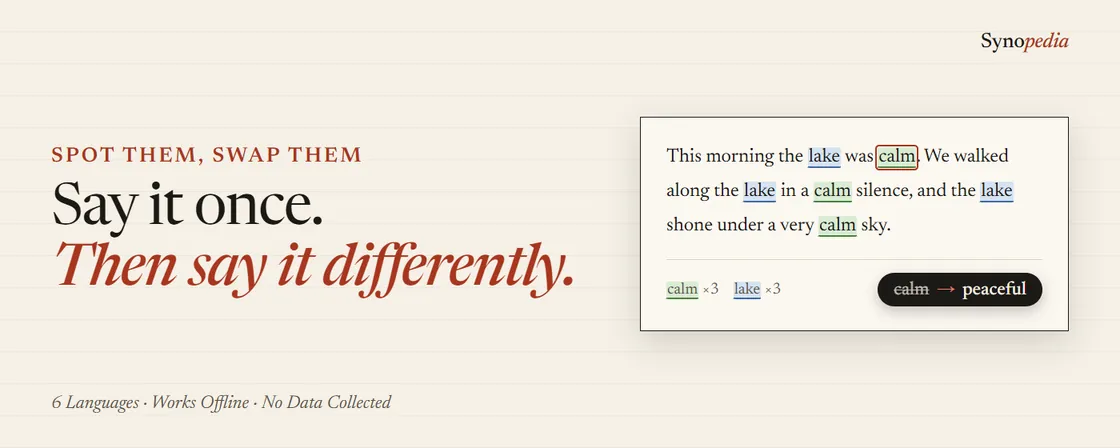
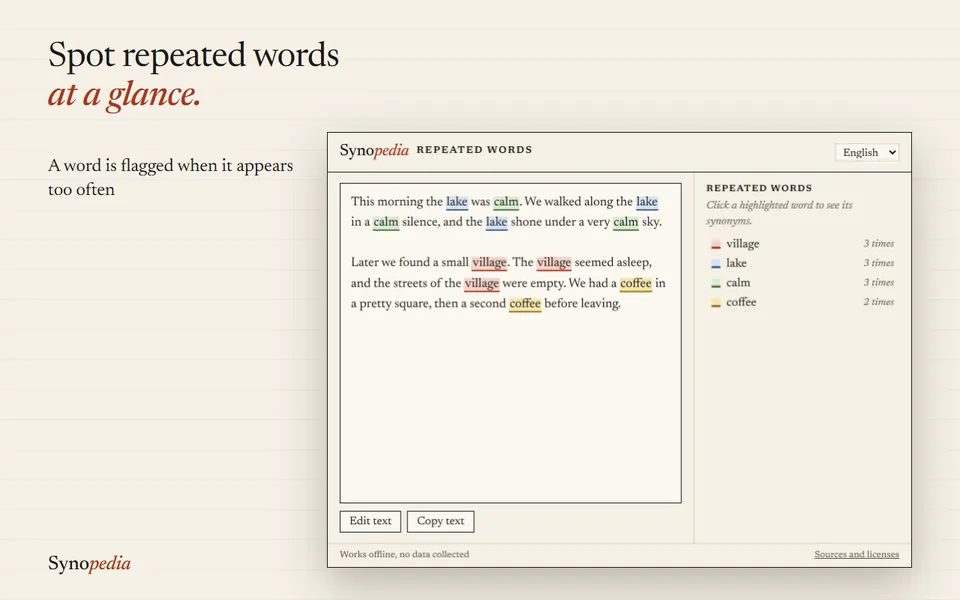
Right-click in any text box and Synopedia highlights the words you repeat too often, each in its own colour, with a synonym ready for every repeat.
- A word is flagged twice in a short paragraph, three times in 100 words, or twice within 20 words
- Small words are ignored, plurals count together
- The corrected text goes straight back into the field
How to install
Click the button for your browser. The extension opens in the Chrome Web Store, Firefox Add-ons or Microsoft Edge Add-ons.
Click “Add to Chrome”, “Add to Firefox” or “Get”, then confirm. It takes a few seconds and needs no account.
Pin it to the toolbar. Click the puzzle icon at the top right of the browser, then the pin next to Synopedia.
Select a word, right-click and choose Synonyms for “…”. The synonyms open next to the page.
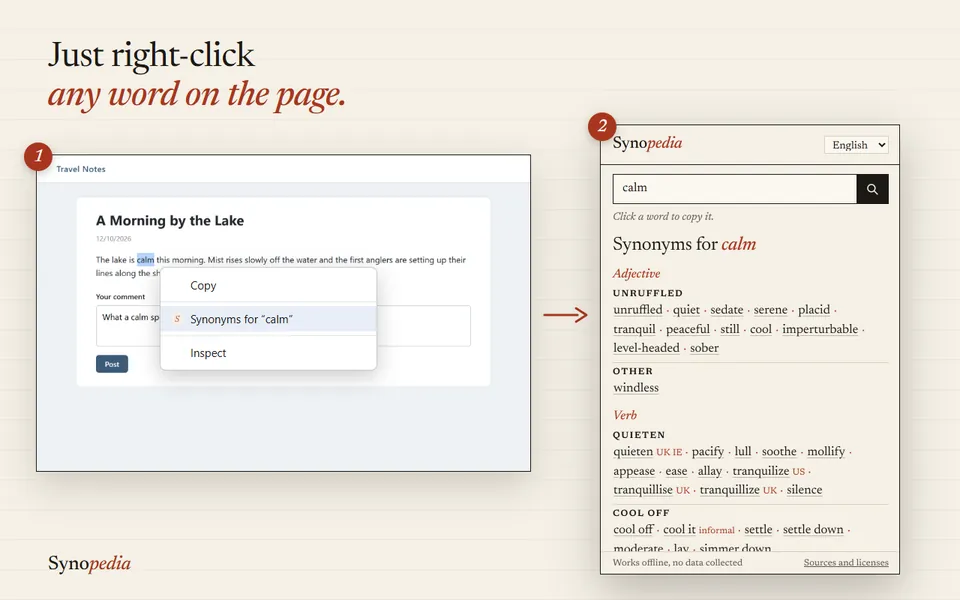
Right-click a word Click a synonym and it replaces the word in your text.
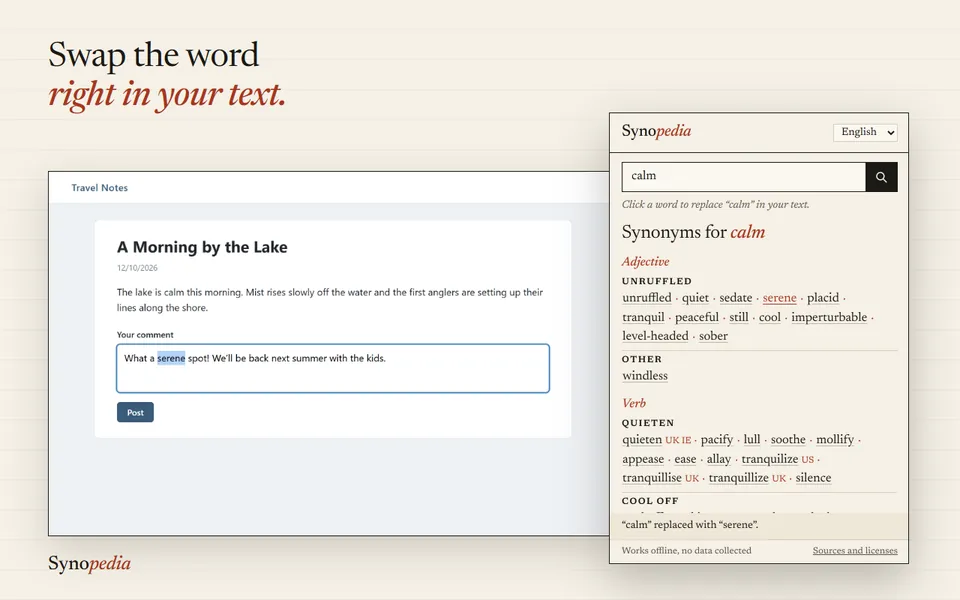
The word is replaced in your text For repetitions, right-click in a text box and choose “Find repeated words in this field”.
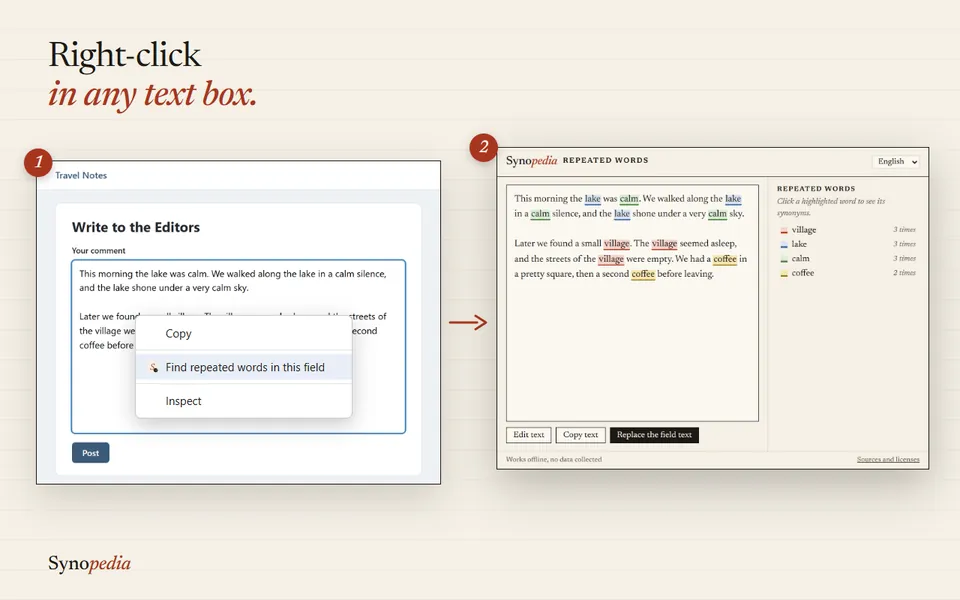
Right-click in a text box Pick a synonym for each repeat, then send the corrected text back with “Replace the field text”.
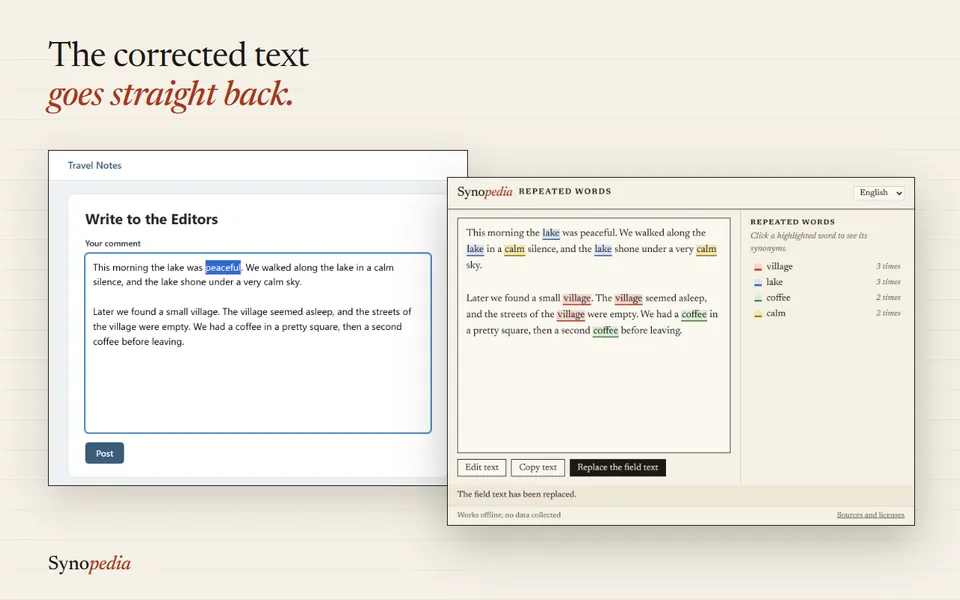
The corrected text goes back
Private by design
Both extensions carry their own dictionary. They work offline, and nothing you select or write is sent anywhere. No account, no ads, no tracking. Read the privacy policy.